The password manager that doesn't ask you to trust it.
The Zero-Knowledge Password Manager
Protect your passwords, identities and documents without ever sharing them with us.
Receipts, not promises
Everything here, you can verify yourself.
No "bank-grade security" and no badges we designed ourselves. Each claim links to the thing itself.
Security, reliability, maintainability: all three A. SonarCloud scans every push, dashboard is public.
verify: dashboard ↗OpenSSF Scorecard, scan of Oct 7, 2026: pinned workflows, least-privilege tokens, signed releases.
verify: scorecard ↗Every release with binaries is signed. Key 26508045ED8C563D. Security policy and disclosure in the open repo.
verify: releases ↗Why local-first
"VaultKeepR's AI used to call external APIs. I pushed local-first all the way: about ten days of migration, ten more of testing, and local models that were either several hundred megabytes too heavy or too weak to ship. I nearly went back. I didn't. The tags, the terms-of-service analysis, the site trust score now all run on your device. One less point of failure. Trust the math, not a company."Justin (@0xJust1), the one dev behind VaultKeepR
How it works
From setup to encrypted backup, in a few simple steps.
Create your vault
A secure on-chain identity is created automatically via your Smart Account. No signup, no external app, no wallet required.
Choose your lock
Pick a master password, use your fingerprint, or a Passkey. Your vault key is derived from it and never stored anywhere.
Automatic backup
Your encrypted vault is backed up to IPFS automatically. No single point of failure, no central database.
Use everywhere
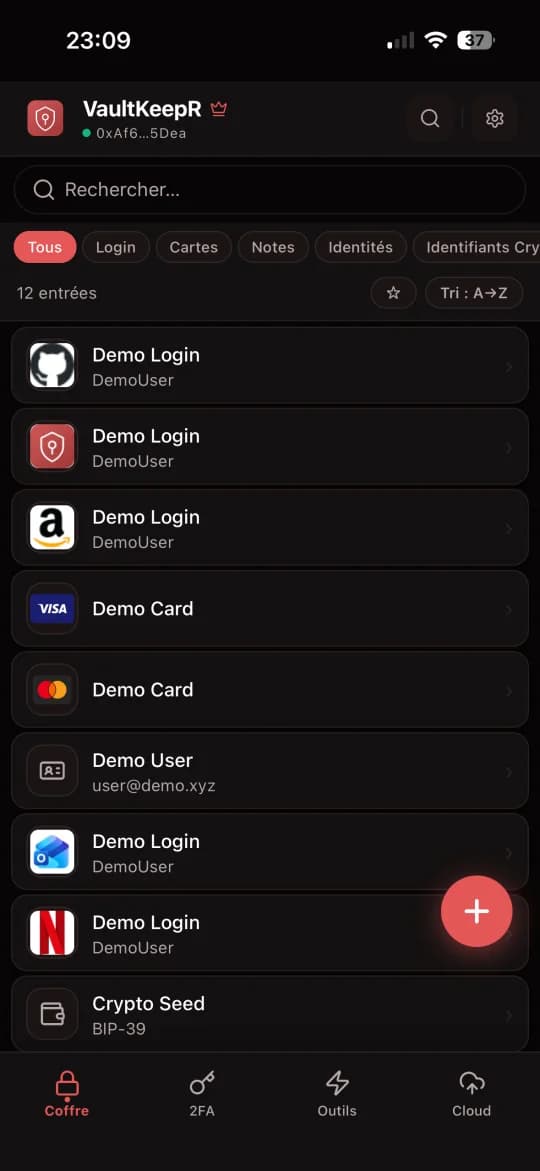
Mobile app, browser extension with autofill, Face ID, biometrics. Same vault, all your devices.
Built for real use
Modern encryptionXChaCha20-Poly1305 · Argon2id
Argon2id key derivation and XChaCha20-Poly1305 encryption. Proven primitives, no custom crypto.
freeNo account neededSmart Account identity
No email, no registration form. Your Smart Account is your identity. One fewer thing that can be hacked.
freePassword Healthbreach scan · reuse · strength
Breach scanner, strength audit, and reuse detection. Identify weak passwords before attackers do.
freeExtension, iOS, AndroidChrome · iOS · Android
Autofill in the browser, AutoFill on iOS and Android, and a full vault UI with groups, identities, and TOTP.
freeImport & exportBitwarden · CSV · JSON · PGP
Bitwarden, CSV, JSON, PGP. Export plain, encrypted, or PGP-wrapped for your own backups.
freeFragmented recovery (Premium)3-of-5 shares
Split your vault into 5 shares (Shamir 3-of-5). Recovery is independent of your device for disaster recovery.
premiumAlso included: email aliases, encrypted cloud storage, secure documents, TOS analysis. Password manager comparisons · Premium tools
Free for everyone. Premium for convenience.
Encryption and core security are free, forever. Premium adds encrypted cloud backup, TOTP authenticator, and Shamir recovery.
Free
- Unlimited passwords & cards
- XChaCha20 + Argon2id encryption
- Chrome, iOS, Android
- IPFS decentralized sync
- No email, no account
Premium
- Everything in Free
- Encrypted cloud backup (1 GB)
- TOTP authenticator
- Shamir recovery (3-of-5)
- Priority support
- Anonymous crypto payment